How to Turn Any Text, Image, or PDF into a Calendar Event
A practical guide to converting text, images, PDFs, and CSV files into calendar events for Google Calendar, Outlook, and Apple Calendar.
October 1, 2025
4 min read
Try it right here — paste your schedule
Drop in your shifts, events or rota exactly as they appear — we'll turn them into calendar events on the next page.
Free to try — no sign-up needed for your first conversions.
Creating calendar events from emails, documents, and images is a common task that can be approached in several ways. This guide covers the main methods for converting different file types into calendar events.
Converting Text to Calendar Events
When you receive meeting details in an email or message, you have a few options:
Manual Entry
The most straightforward approach is copying the details and creating an event in your calendar app. This works well for one-off events but becomes tedious with multiple entries.
Calendar App Features
Most calendar applications have built-in capabilities:
- Gmail/Google Calendar: Emails with event-like content sometimes show an "Add to Calendar" prompt
- Outlook: Meeting requests in email format can be accepted directly
- Apple Mail: Detected dates can be added to Calendar via the data detector popup
ICS Generator Tools
For text that calendar apps don't automatically detect, ICS generator tools can parse natural language and create downloadable calendar files. Tools like Text-2-ICS, Calendify, and similar services accept text input and output ICS files compatible with most calendar applications.
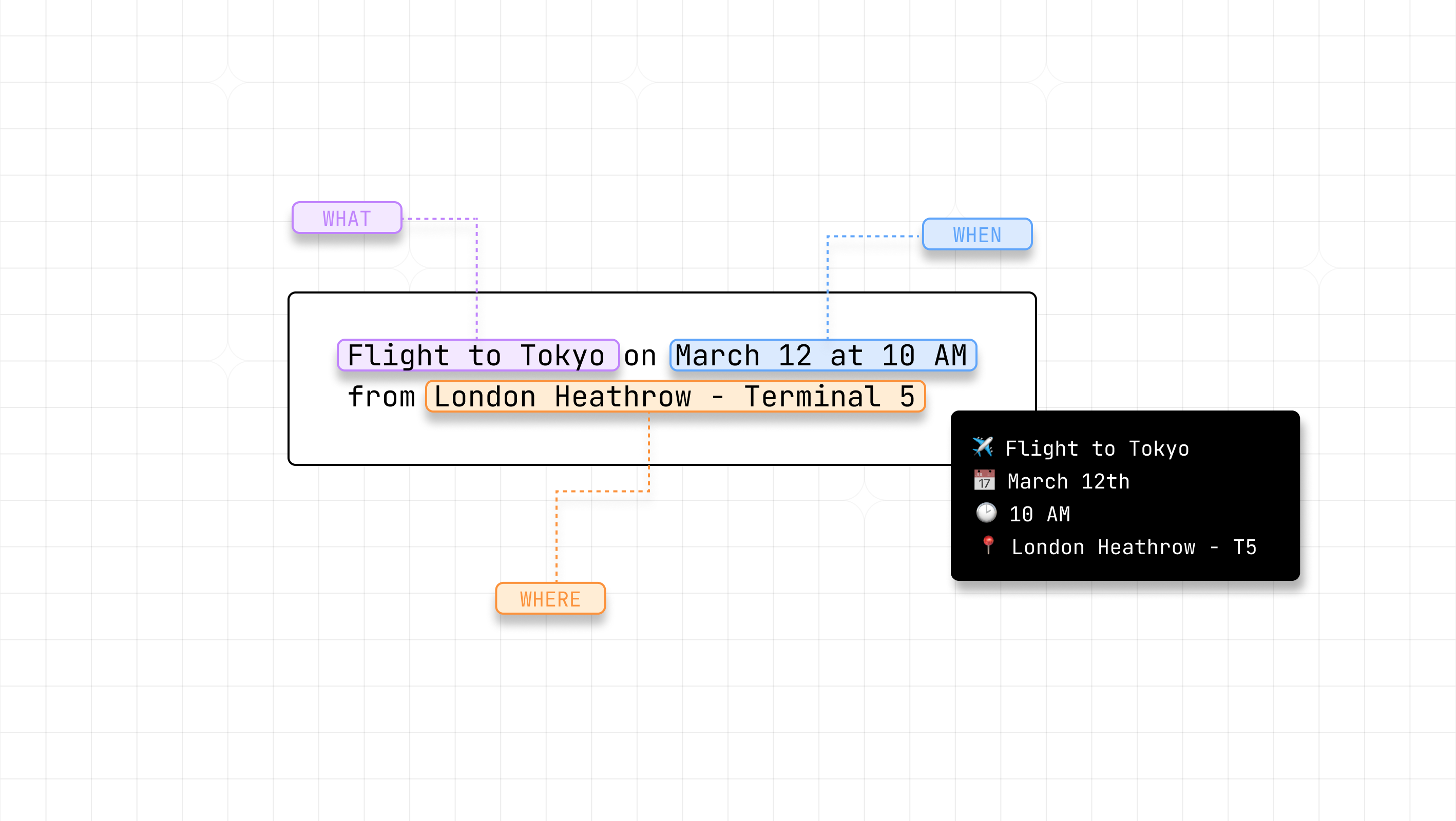
Example text that can be converted:
"Let's meet next Tuesday, March 15th at 2:30 PM in Conference Room B to discuss the quarterly budget review. The meeting should last about 90 minutes."
Converting Images to Calendar Events
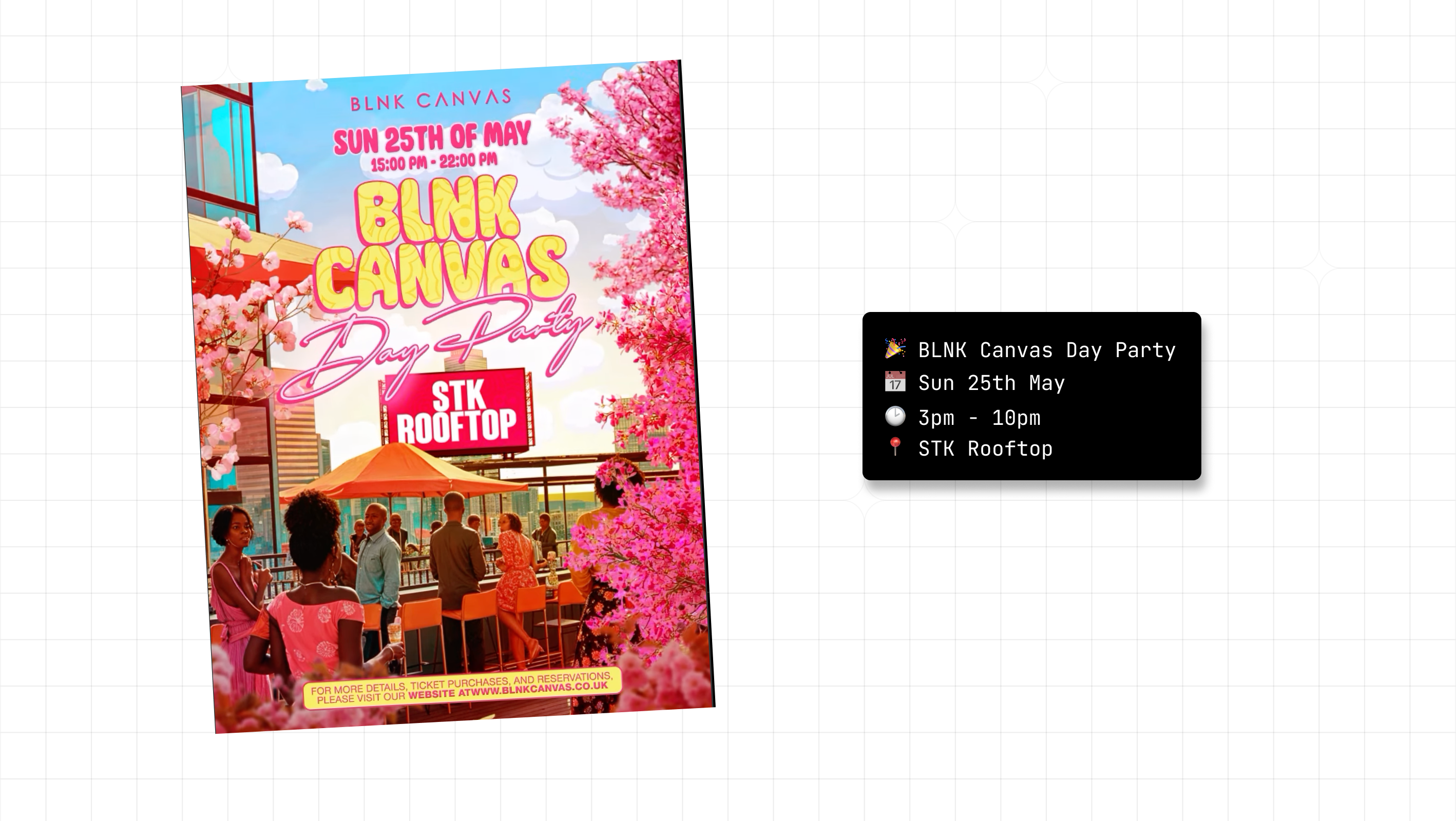
Event posters, screenshots, and photos containing schedule information require text extraction first.
Manual Transcription
Read the image and type the event details into your calendar. Simple but time-consuming for multiple events.
OCR Tools
Optical Character Recognition software can extract text from images:
- Built-in OS features: macOS Live Text, Windows Photos app, Google Lens
- Web-based OCR: Google Drive (upload image, open with Docs), OnlineOCR.net
- Mobile apps: Microsoft Lens, Adobe Scan
Once you have the extracted text, you can manually create events or use an ICS generator.
Image-to-Calendar Tools
Some tools combine OCR and calendar generation in one step. Text-2-ICS and similar services accept image uploads, extract the text, and generate ICS files directly.
Converting PDFs to Calendar Events
PDFs containing schedules, syllabi, or agendas present their own challenges.
Copy and Paste
If the PDF has selectable text, you can copy event details and paste them into your calendar app or an ICS generator.
PDF Readers with Text Selection
Most PDF readers (Adobe Acrobat, Preview, Chrome's built-in viewer) allow text selection. Select the relevant sections and manually create events.
PDF Conversion Tools
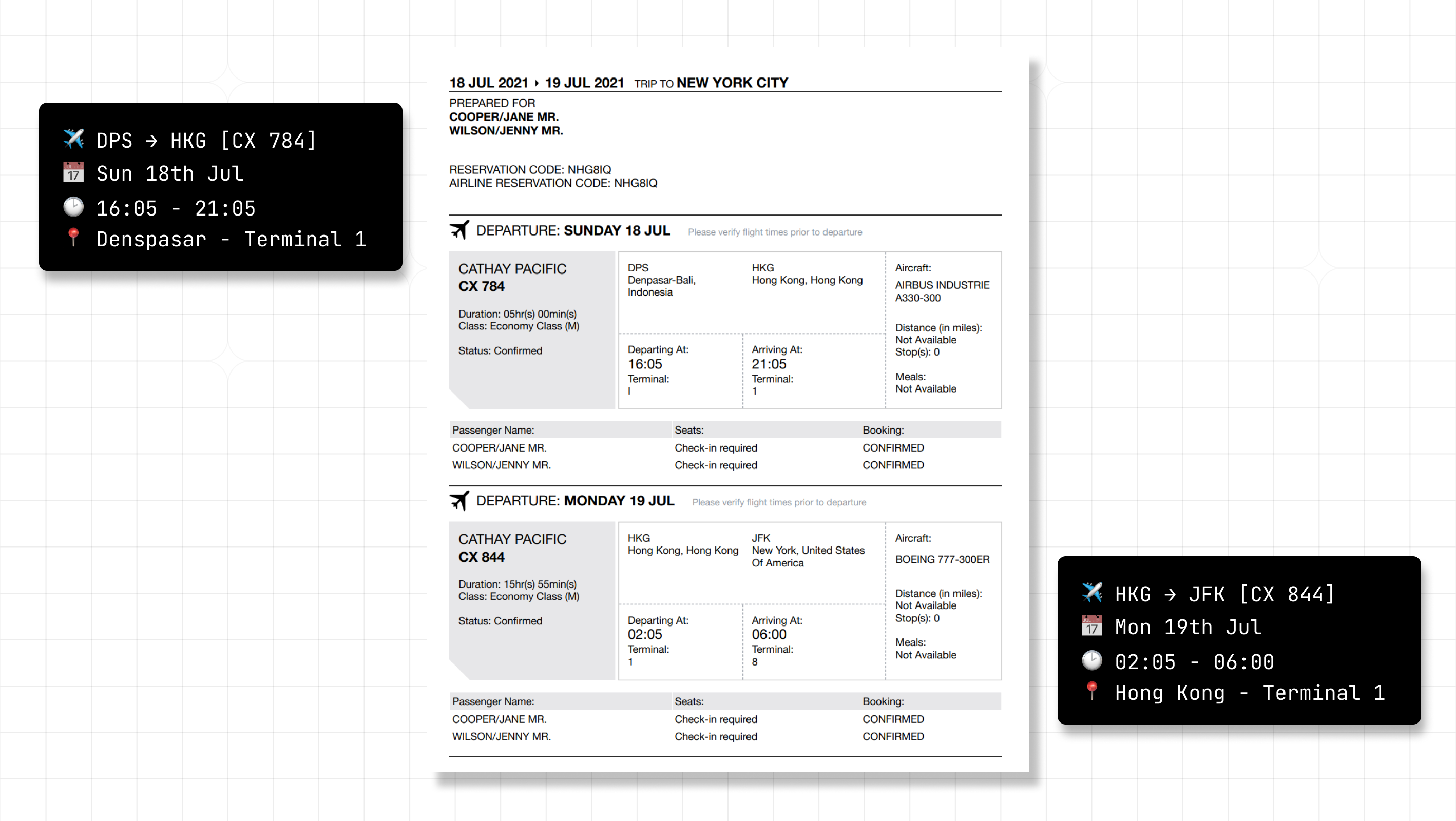
For PDFs with multiple events or complex formatting:
- General converters: Adobe Acrobat's export feature, Smallpdf, PDF2Go
- Calendar-specific tools: Text-2-ICS and similar services can process PDF uploads and extract multiple events at once
Detailed Guides by File Type
PDF to Calendar
Academic syllabi, conference agendas, and saved schedules often come as PDFs. For a deeper walkthrough:
Read the Full Guide: How to Convert a PDF to a Calendar
Image or Screenshot to Calendar
Event flyers, WhatsApp messages, and social media screenshots require OCR processing:
Read the Full Guide: How to Convert a Screenshot to a Calendar Event
CSV to Calendar
Spreadsheets with multiple events work best with bulk import methods:
Read the Full Guide: How to Bulk Import Events with CSV to Calendar
Common Use Cases
Professional Settings
- Meeting invitations from email threads
- Conference schedules and agendas
- Project timelines and milestones
Academic Settings
- Course syllabi with assignment due dates
- Exam schedules
- Campus event calendars
Event Planning
- Vendor and supplier timelines
- Venue booking confirmations
- Client meeting schedules
Personal Use
- Travel itineraries (flights, hotels)
- Medical appointment reminders
- Social event invitations
Choosing the Right Approach
The best method depends on your situation:
| Scenario | Recommended Approach |
|---|---|
| Single event from an email | Manual entry or calendar app detection |
| Multiple events in a PDF | PDF-to-calendar tool or bulk ICS generator |
| Screenshot of an event | OCR tool + manual entry, or image-to-calendar tool |
| Spreadsheet of dates | CSV import or calendar app's bulk import |
For occasional one-off events, manual entry is often fastest. For recurring tasks or bulk conversions, automated tools pay off quickly.
Automate Your Calendar
Turn any file into calendar events and reclaim hours every week.
Try Text-2-ICS →